FavApps: Terminator
Terminator is a little project to produce an efficient way of filling a large area of screen space with terminals. The user can have multiple terminals in one window and use key bindings to switch between them.
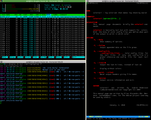
Terminator is more than an alternative to the regular default terminal application. It allows you to split the terminal window in two or more terminals.
Installing Terminator
You can install Terminator via the Ubuntu Software Center. You can also use the button at the beginning of this post.
To install via terminal:
1sudo apt-get install terminator
Customization
You can customize Terminator in many ways. Use the preferences menu to do so.
I really like crunchbang Terminator looks, so I used the config file from that distro in my machine.
You can use it to by going into ~/.config/terminator/config and replace all the text with:
 1[global_config]
 2 title_transmit_bg_color = "#000000"
 3 title_inactive_bg_color = "#000000"
 4[keybindings]
 5 hide_window = <Shift><Control>a
 6[profiles]
 7 [[default]]
 8  scrollbar_position = hidden
 9   palette =  "#000000:#cc0000:#4e9a06:#c4a000:#3465a4:#75507b:#06989a:#d3d7cf:#555753:#ef2929:#8ae234:#fce94f:#729fcf:#ad7fa8:#34e2e2:#eeeeec"
10  background_darkness = 0.769574944072
11  scrollback_lines = 5000
12  use_system_font = False
13  cursor_color = "#d8d8d8"
14  foreground_color = "#d8d8d8"
15  scroll_on_output = False
16  show_titlebar = False
17  color_scheme = custom
18  font = Monospace 9
19  background_color = "#252627"
20  scrollback_infinite = True
21[layouts]
22 [[default]]
23  [[[child1]]]
24   type = Terminal
25   parent = window0
26  [[[window0]]]
27   type = Window
28   parent = ""
29[plugins]