Adventures in Arch (Part III): Customizing
In this part I will show the customizations I made in the desktop environment.
I will keep updating this post in the next weeks, in case I have other tips.

Fonts
I like Ubuntu fonts so:
1sudo pacman -S ttf-ubuntu-font-family
GNOME Shell tweaks
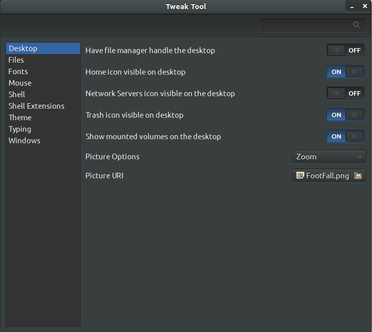
Install GNOME Tweak Tool:
1sudo pacman -S gnome-tweak-tool
Some changes I made:
- Files Menu: activated the option to always use the location entry.
- Fonts: I changed all the fonts to Ubuntu.
- Shell: activated Show Date in clock; chose All in the arrangement of buttons on the titlebar.
- Theme: enabled dark theme.
- Typing: chose Control + Alt + Backspace to kill the X Server.
GNOME extensions
Using GNOME’s Web browser go to: https://extensions.gnome.org/
I’m using:
- Activities Configurator
- Advanced Volume Mixer
- AlternateTab
- Autohide Battery (not working with my UPS)
- Dash to Dock
- Places Status Indicator
- Quit Button
- TopIcons
- User Themes
Region and Language
Go to Settings > Region and Language and in the Input Sources I add the Portuguese keyboard. Don’t forget to also add it in the Login Screen menu.
Online Accounts
Go to Settings > Online Accounts and add Google and Facebook, for example.
Themes
Change the themes with GNOME Tweak Tool
Cursor theme:
1yaourt -S xcursor-human
Shell and GTK theme:
1yaourt -S gtk-theme-numix